
A Favicon is a short name for Favourites icon, also known as website icon and browsers like Firefox and Chrome displays the icon in the address bar. Adding favicon, is usually neglected by the novice users, as being afraid of the programming it requires.

But no more, it can be done by using Favicons WordPress Plugin which quickly adds a favicon to your website or blog without editing any files or bearing pain of programming.
Using this plugin, adding favicon is a click-a-way procedure. I tracked the time to install a favicon, and it came out to be 30 seconds. 🙂
Below is a 2-step quick procedure to add the favicon on wordpress blog.
1. Activating the Plugin

2. Selecting the Favicon
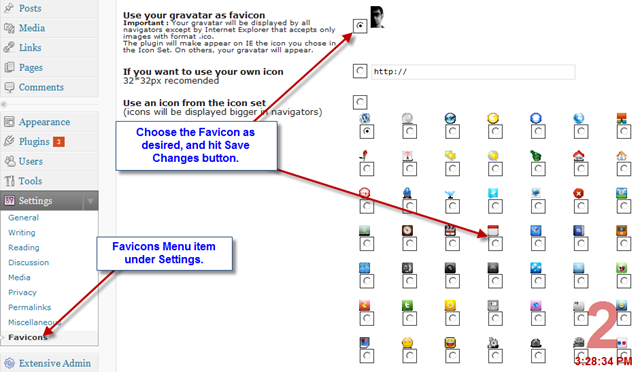
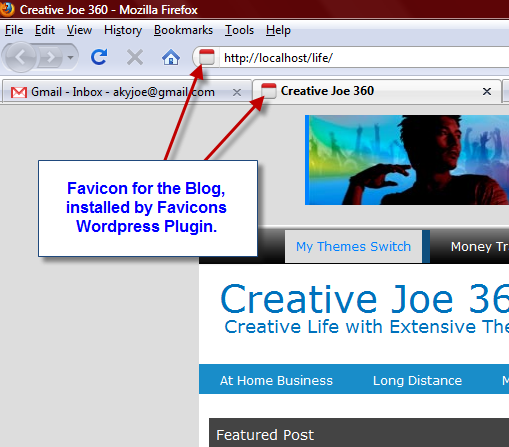
Effect can be seen on browser by refreshing the website page, after saving the changes made on the settings page. Below is the screenshot which concludes the article.
Download link for the Favicon plugin is mentioned below.
For any queries or further assistance required, post comments as your feedbacks.