We have already covered how to Submit wordpress sitemap and How to verify Site Ownership Google webmaster tool. Now the remaining steps are quite simple. All you need to do is submit sitemap file which we have already generated in step 1.
Your sitemap will be usually domain.com/sitemap.xml
If you have installed wordpress in dub directory it will be Yourdomain.com/blog/sitemap.xml.
For example Themepremium sitemap is https://www.themepremium.com/sitemap.xml
To submit your wordpress sitemap , login to Google webmaster tool and click on your verified site. On the bottom right you will see an option which says submit sitemap.
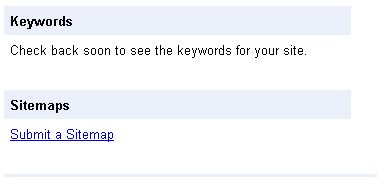 Click on the link and on the next page all you need to do is submit your sitemap. Follow the screenshot for detailed procedure.
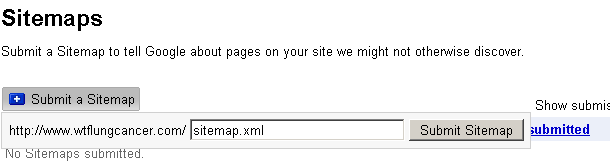
Click on Submit sitemap and it will take some time for Google webmaster tool to crawl your website and index your blog posts.
Google webmaster tool will give you a better idea on how many pages are indexed from your blog and which keywords you are ranking for.